
Receivables · Order to cash
Every invoice. Ready to collect.
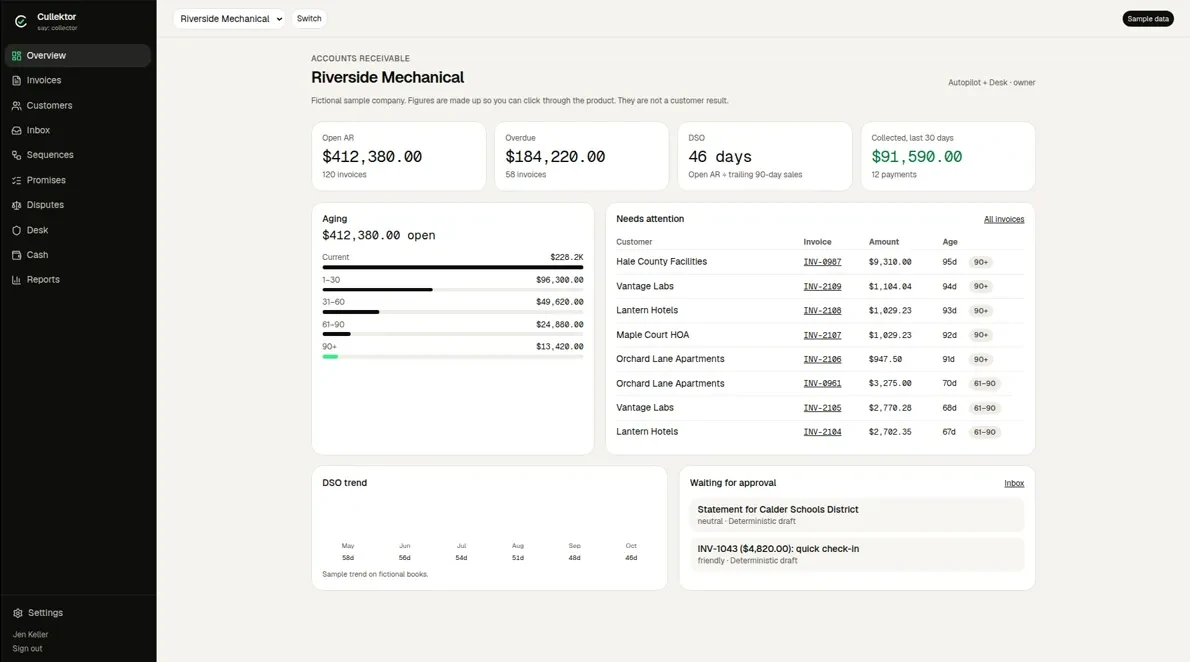
Invoices sync from your ledger or are created in Cullektor with the right terms, PO numbers and attachments, so collections starts with complete data.
What it does
What it does.
- Ledger syncInvoices, customers, payments.
- Invoice creationTerms, PO and attachments.
- Attachment rulesTimesheets, proof of delivery.
- DeliveryBy email or customer portal.
Workflow
Step by step. Who does what.
Green steps run on their own. Black steps wait for a person. The Desk takes what needs a specialist.
- 01Automated
Invoice synced or created
Terms, PO, contacts read.
- 02Automated
Attachments added
By customer rule.
- 03Automated
Delivered
Email or portal submission.
Where it sits
Where it sits. Before and after.
Questions. Straight answers.
Do we have to stop invoicing in our ERP?
No. Most teams keep invoicing in the ERP and sync.
Book a demo
Cull the overdue. Keep the customer.
Book a 20-minute demo of Receivables, Payables or both, or get a free AR X-Ray of your receivables. Receivables and payables, with a human Desk behind every agent.
- AR X-RayAging, DSO, slowest payers, what’s collectable in 30 days.
- DemoOn sample data, or on your own X-Ray.
- Emailhello@cullektor.com