
Receivables · Order to cash
Payments in. Books right.
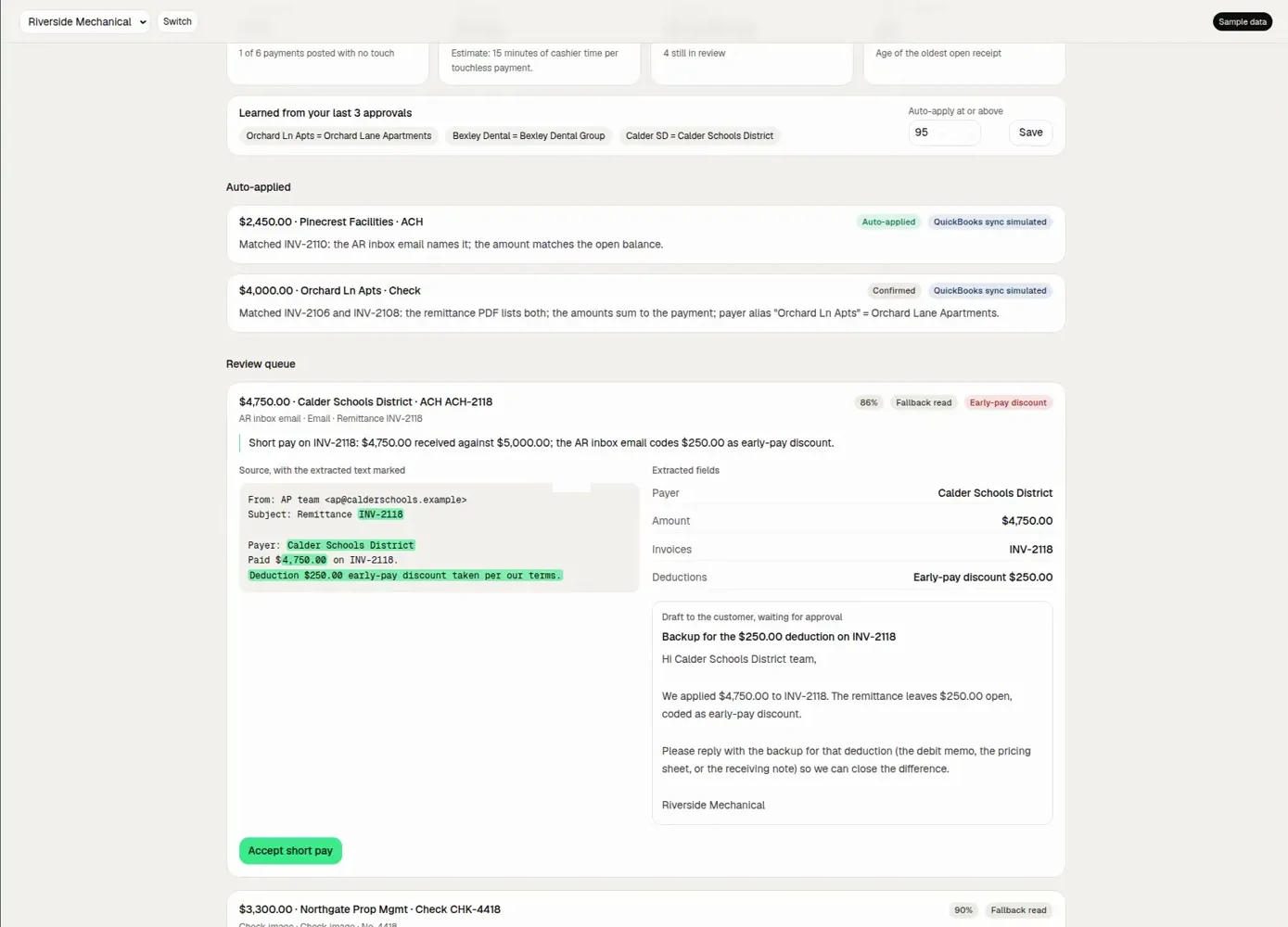
The moment a payment lands, the AI matches it to invoices from amounts, memos and remittance emails. Above your confidence threshold it applies on its own; short pays become deductions or disputes.
What it does
What it does.
- Auto-matchingBank, card, cheque and portal payments.
- Remittance parsingMemos and emails read.
- Confidence thresholdAuto-apply above it.
- Short paysOpened as deductions.
Workflow
Step by step. Who does what.
Green steps run on their own. Black steps wait for a person. The Desk takes what needs a specialist.
- 01Automated
Payment received
From bank or processor.
- 02Automated
Matched
To one or many invoices.
- 03Automated
Applied
Above the threshold.
- 04You approve
Exceptions
Below it, you review.
Where it sits
Where it sits. Before and after.
Questions. Straight answers.
Do you post journal entries?
No. Notes and status write back; you keep control of the GL.
Book a demo
Cull the overdue. Keep the customer.
Book a 20-minute demo of Receivables, Payables or both, or get a free AR X-Ray of your receivables. Receivables and payables, with a human Desk behind every agent.
- AR X-RayAging, DSO, slowest payers, what’s collectable in 30 days.
- DemoOn sample data, or on your own X-Ray.
- Emailhello@cullektor.com